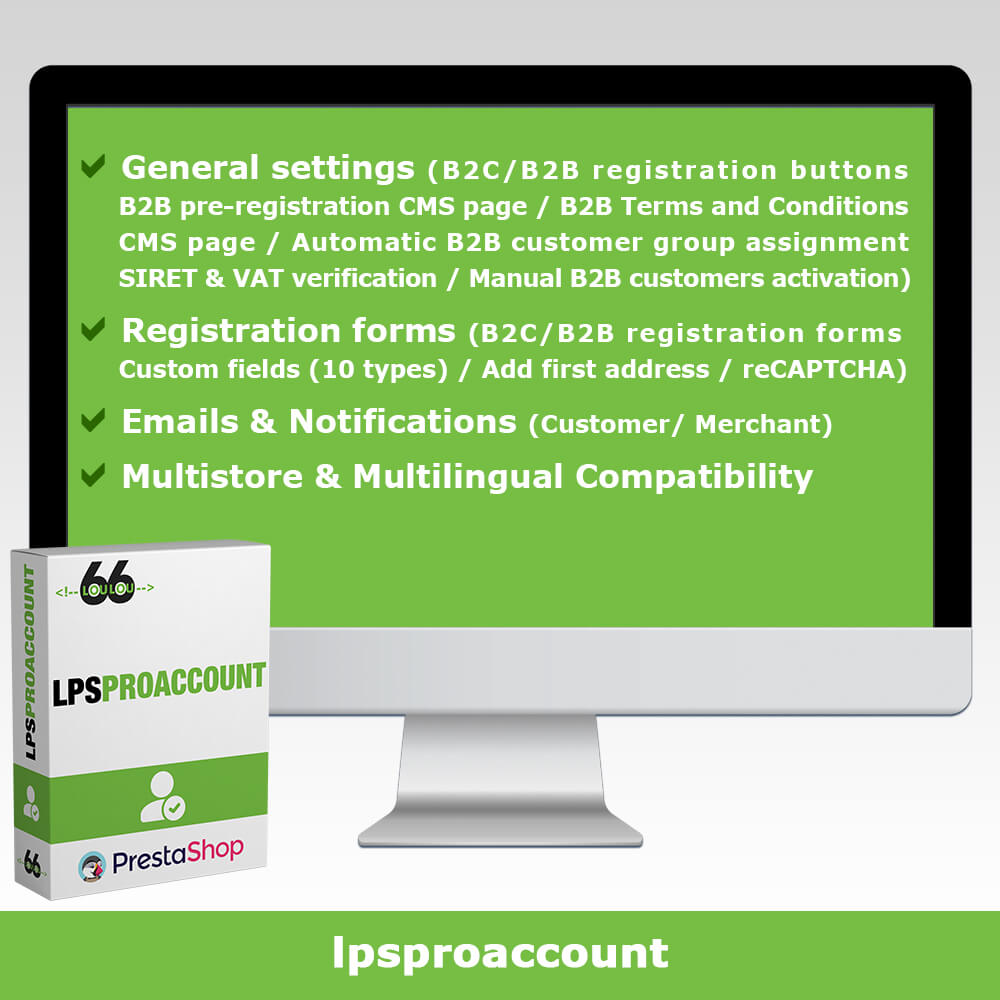
Features
GENERAL SETTINGS
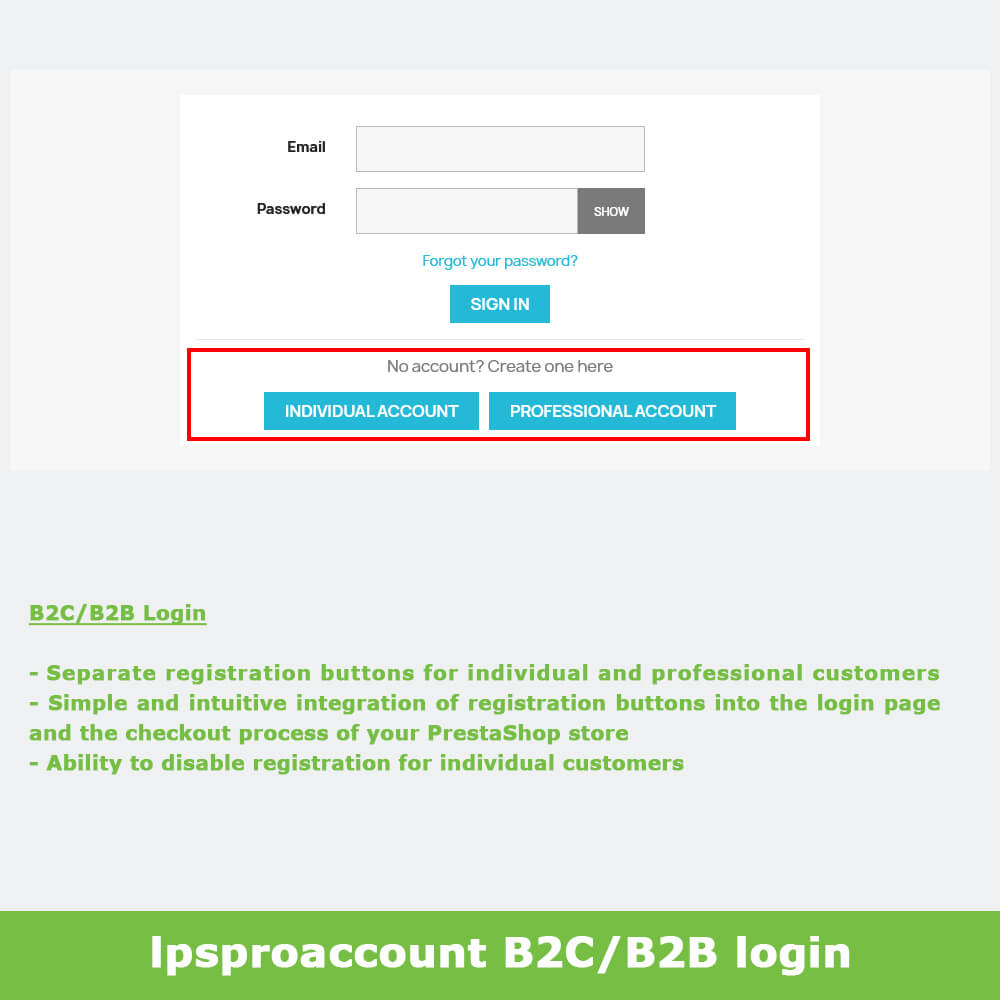
B2C/B2B login page
lpsproaccount module integrates simply and intuitively into your store's login page and checkout process by offering separate registration buttons for individual customers and professional customers.
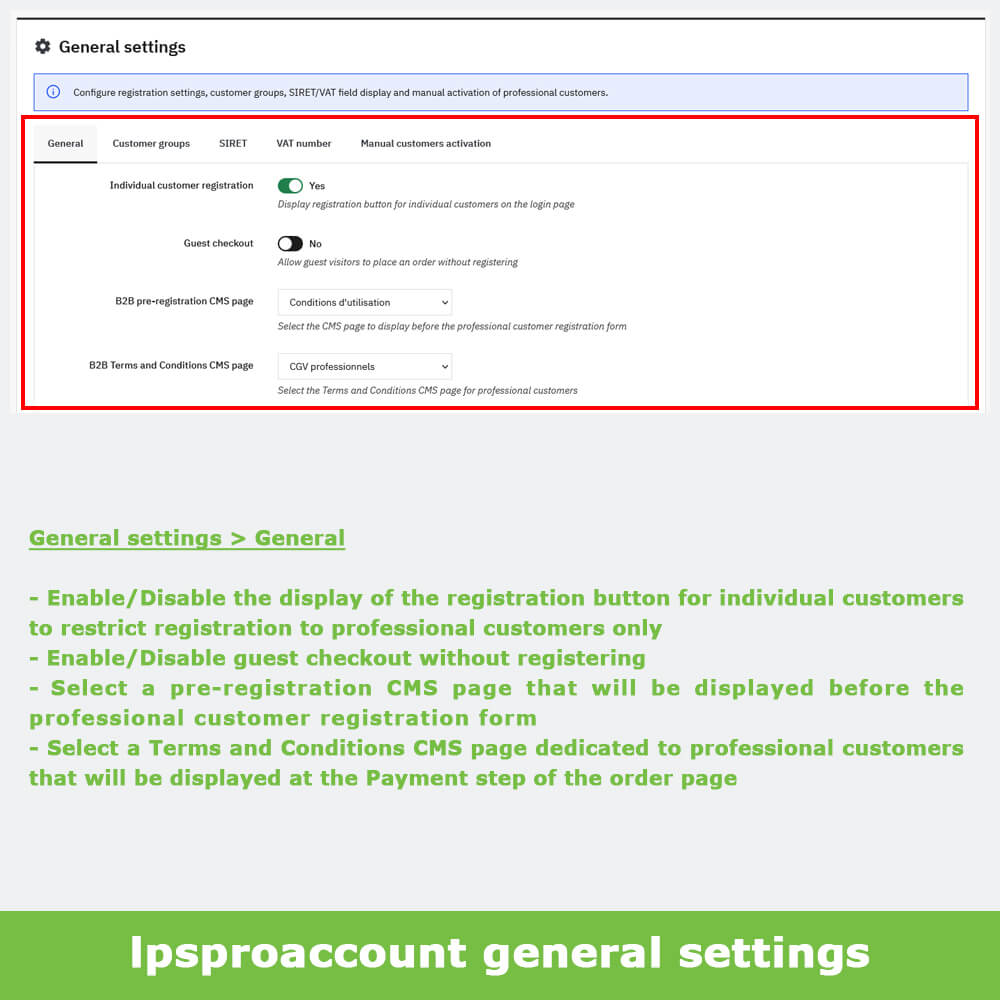
Individual customer registration
lpsproaccount module allows you to enable/disable the registration button for individual customers to restrict registration to professional customers only.
Guest checkout
lpsproaccount module allows you to enable/disable guest checkout to allow guest visitors to place an order without registering.
B2B pre-registration CMS page
lpsproaccount module allows you to define a pre-registration CMS page that will be displayed before the registration form to inform your B2B customers about the terms and benefits of creating a professional account.
B2B Terms and Conditions CMS page
lpsproaccount module allows you to define a Terms and Conditions CMS page dedicated to professional customers that will be displayed at the Payment step of the order page.
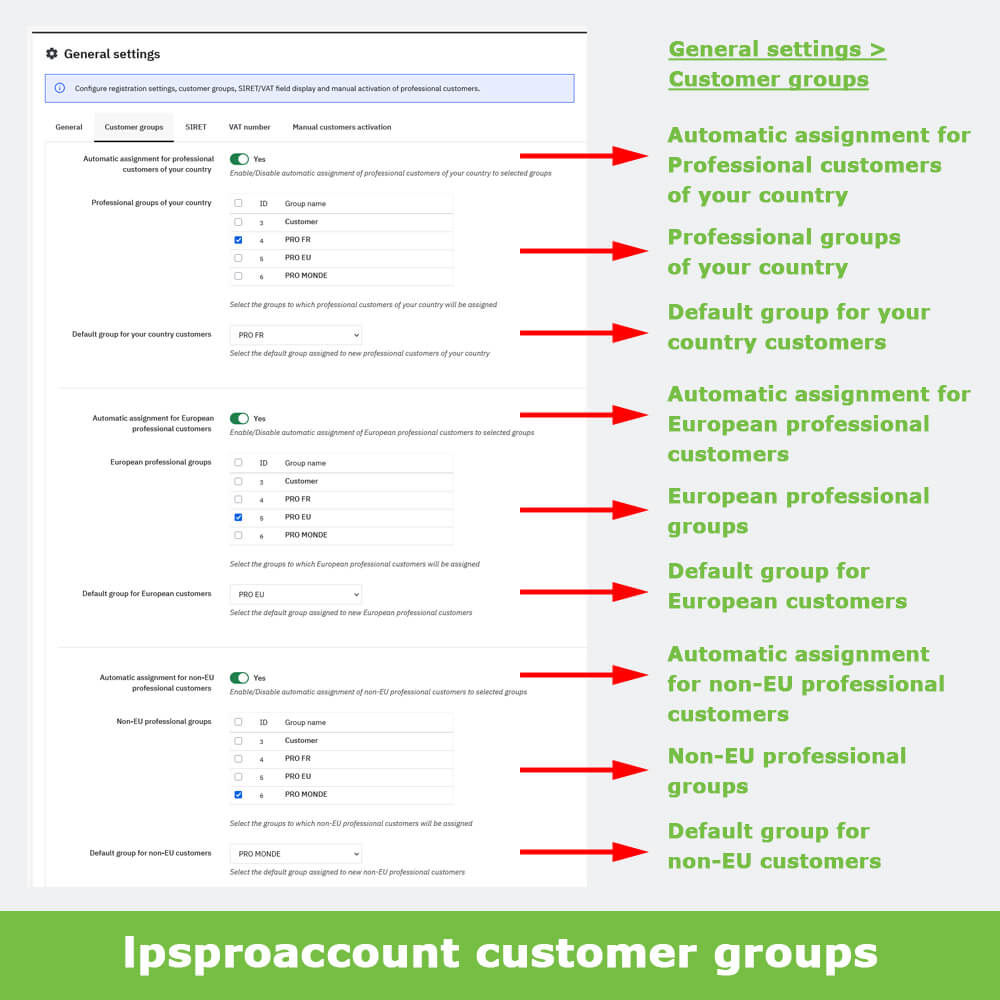
Automatic B2B customer group assignment
lpsproaccount module allows you to automatically assign your professional customers to one or more predefined groups based on the country specified during their registration, without any manual intervention on your part.
You can also enable/disable automatic assignment for professional customers of your country, European professional customers or non-EU professional customers, and define default professional groups.
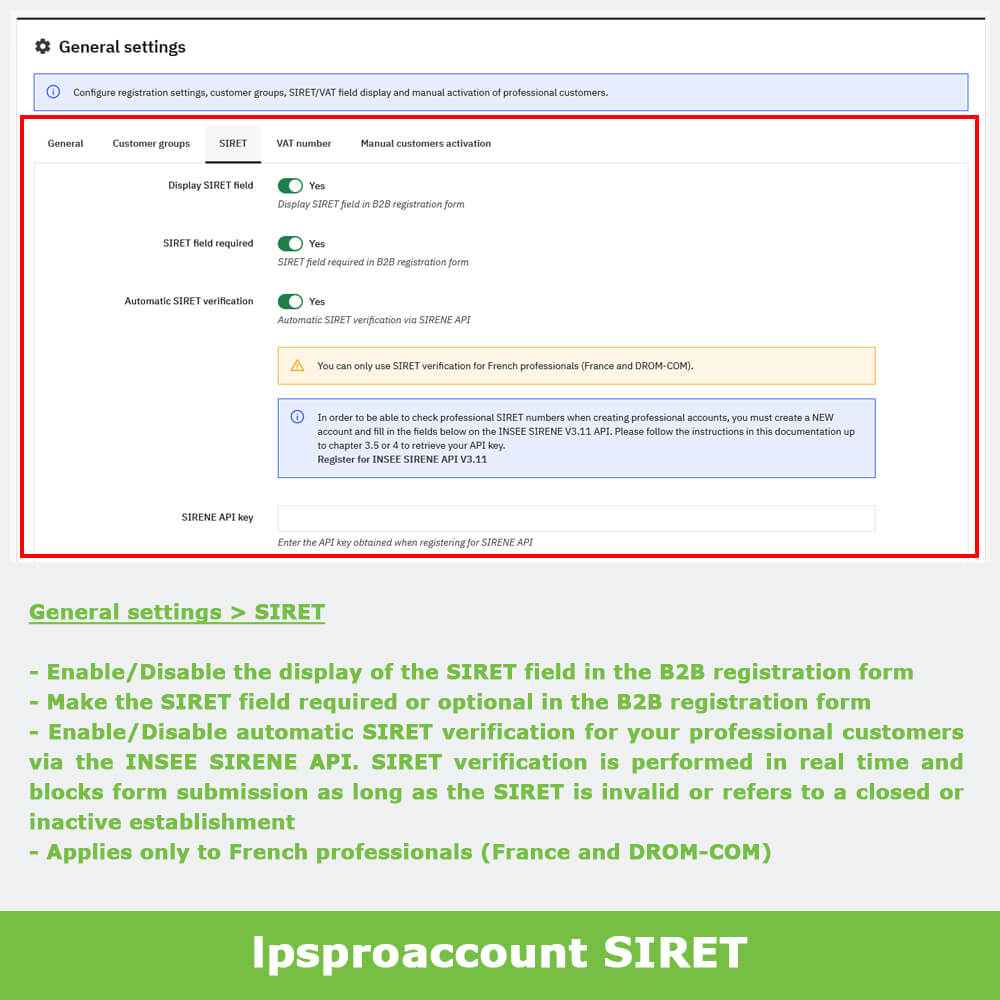
Automatic SIRET verification
lpsproaccount module allows you to display the SIRET field in the B2B registration form and make it required or optional.
You can also enable/disable automatic SIRET verification for your professional customers via the INSEE SIRENE API. To enable SIRET verification, simply create a free account on the official INSEE website (documentation provided) and enter your SIRENE API key. SIRET verification is performed in real time and blocks form submission as long as the SIRET is invalid or refers to a closed or inactive establishment.
Important: SIRET verification applies only to French professionals (France and DROM-COM).
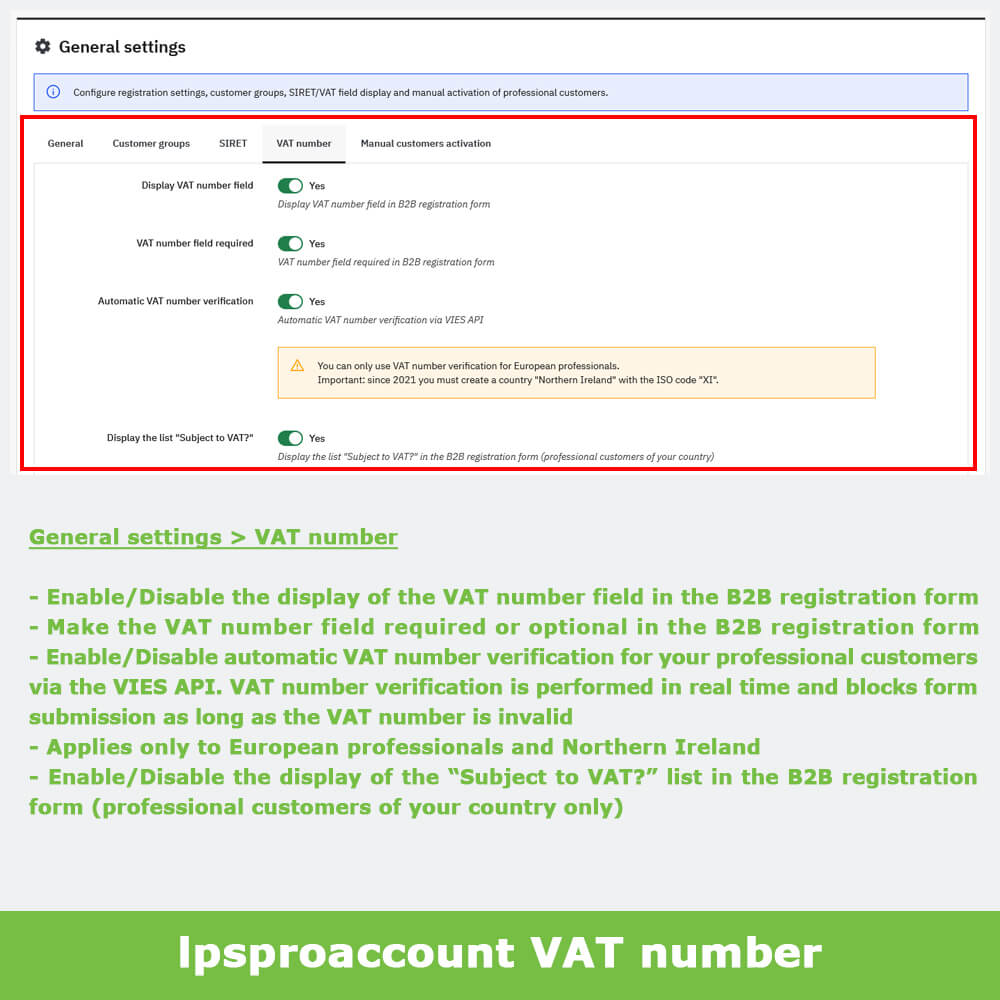
Automatic VAT number verification
lpsproaccount module allows you to display the VAT number field in the B2B registration form and make it required or optional.
You can also enable/disable automatic VAT number verification for your professional customers via the VIES API. VAT number verification is performed in real time and blocks form submission as long as the VAT number is invalid.
You can also enable/disable the display of the "Subject to VAT?" list in the B2B registration form (professional customers of your country only).
Important: VAT number verification applies only to European professionals and Northern Ireland.
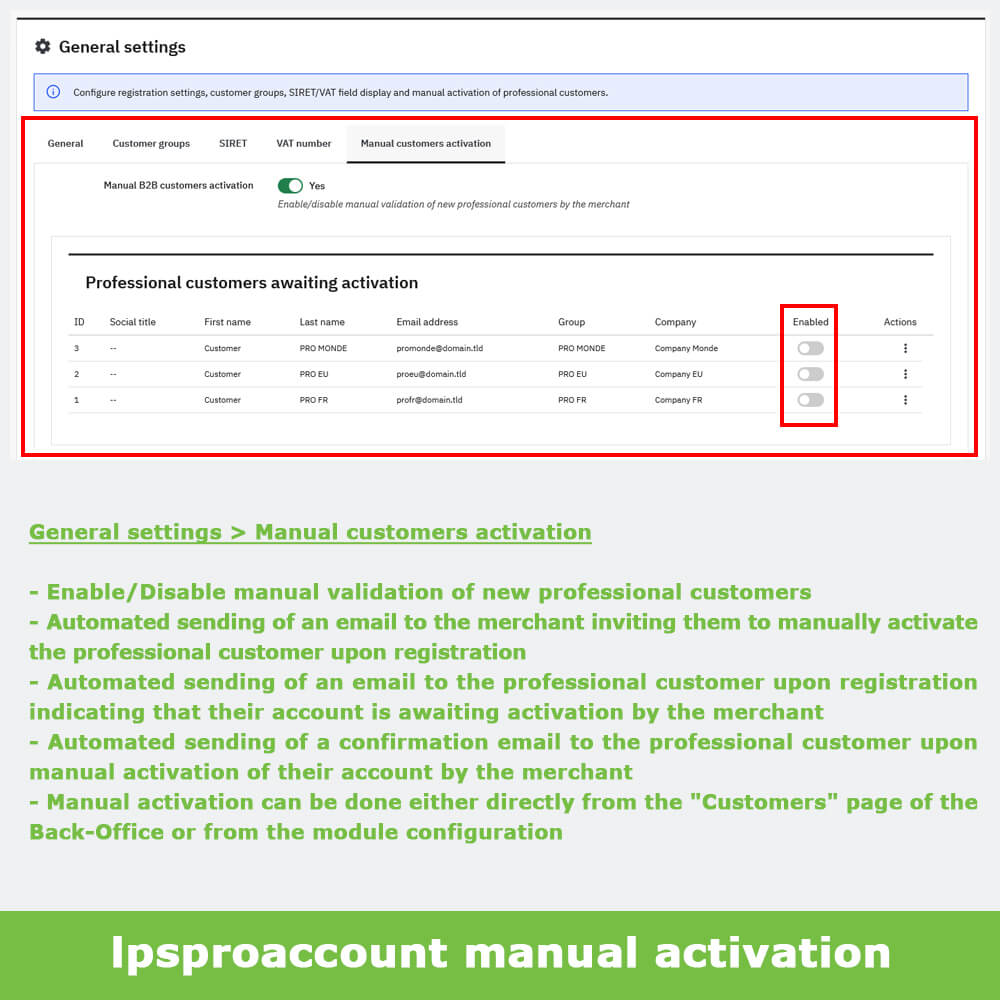
Manual activation of professional customers
lpsproaccount module allows you to enable/disable manual validation of new professional customers by the merchant.
Automated sending of an email to the merchant inviting them to manually activate the professional customer upon registration.
Automated sending of an email to the professional customer upon registration indicating that their account is awaiting activation.
Automated sending of a confirmation email to the professional customer upon manual activation of their account by the merchant.
Important: manual activation can be done either directly from the "Customers" page of your store's Back-Office, or from the module configuration via the "Manual customers activation" tab.
REGISTRATION FORMS
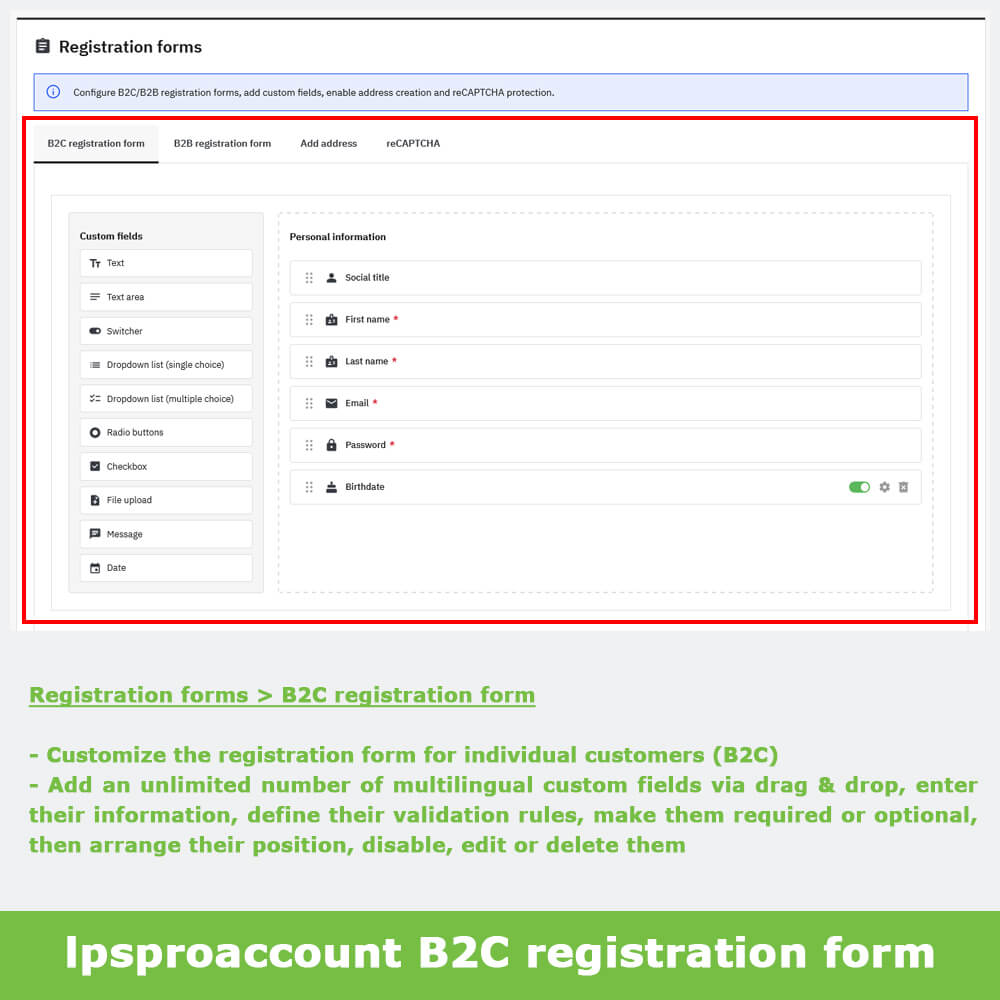
B2C registration form
lpsproaccount module allows you to customize the registration form for individual customers (B2C) by adding an unlimited number of multilingual custom fields via drag & drop, entering their information, defining their validation rules, making them required or optional, then arranging their position, disabling, editing or deleting them.
B2B registration form
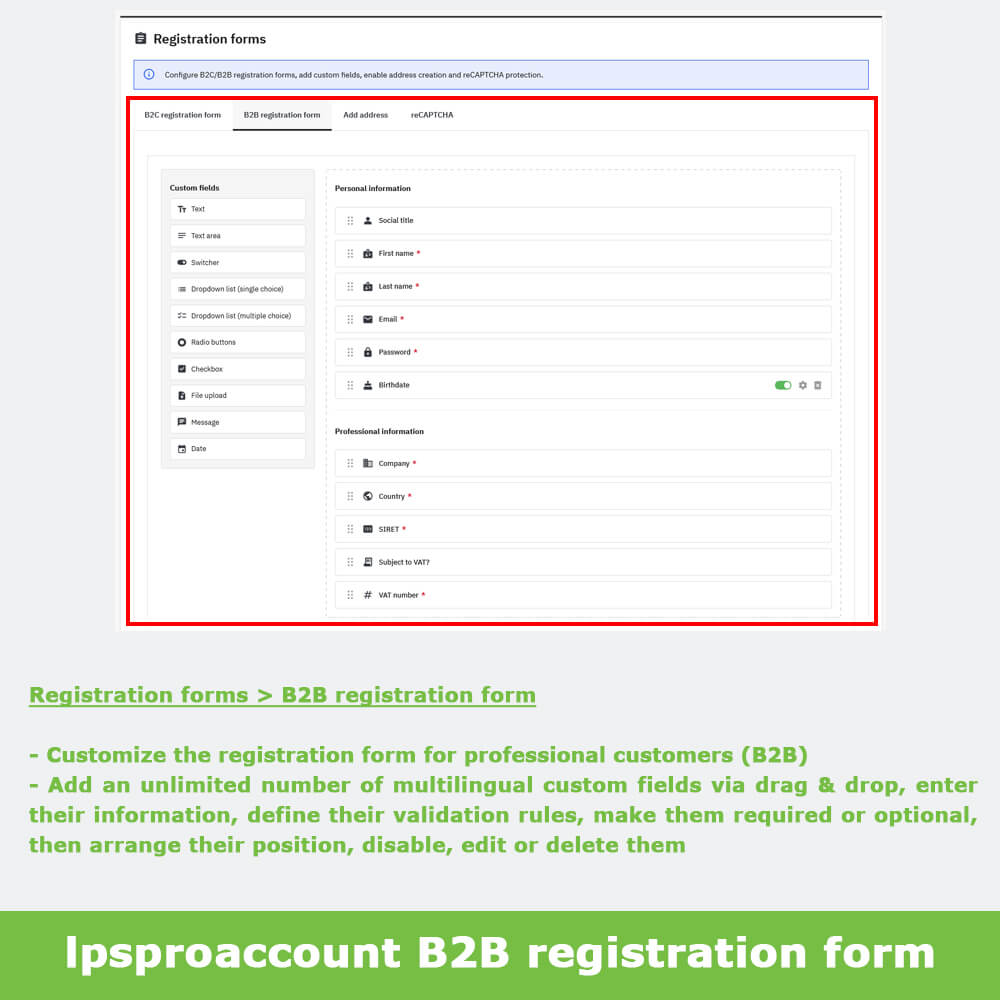
lpsproaccount module allows you to customize the registration form for professional customers (B2B) by adding an unlimited number of multilingual custom fields via drag & drop, entering their information, defining their validation rules, making them required or optional, then arranging their position, disabling, editing or deleting them.
The B2B registration form is organized into two separate sections, a "Personal information" section for customer data and a "Professional information" section for company data (Company, Country, SIRET, VAT number), in which you can add custom fields with validation rules suited to professional data.
Important: the SIRET and VAT number fields and the "Subject to VAT?" list are displayed only if the corresponding options are enabled in "General settings" (SIRET and VAT number tabs).
Custom fields
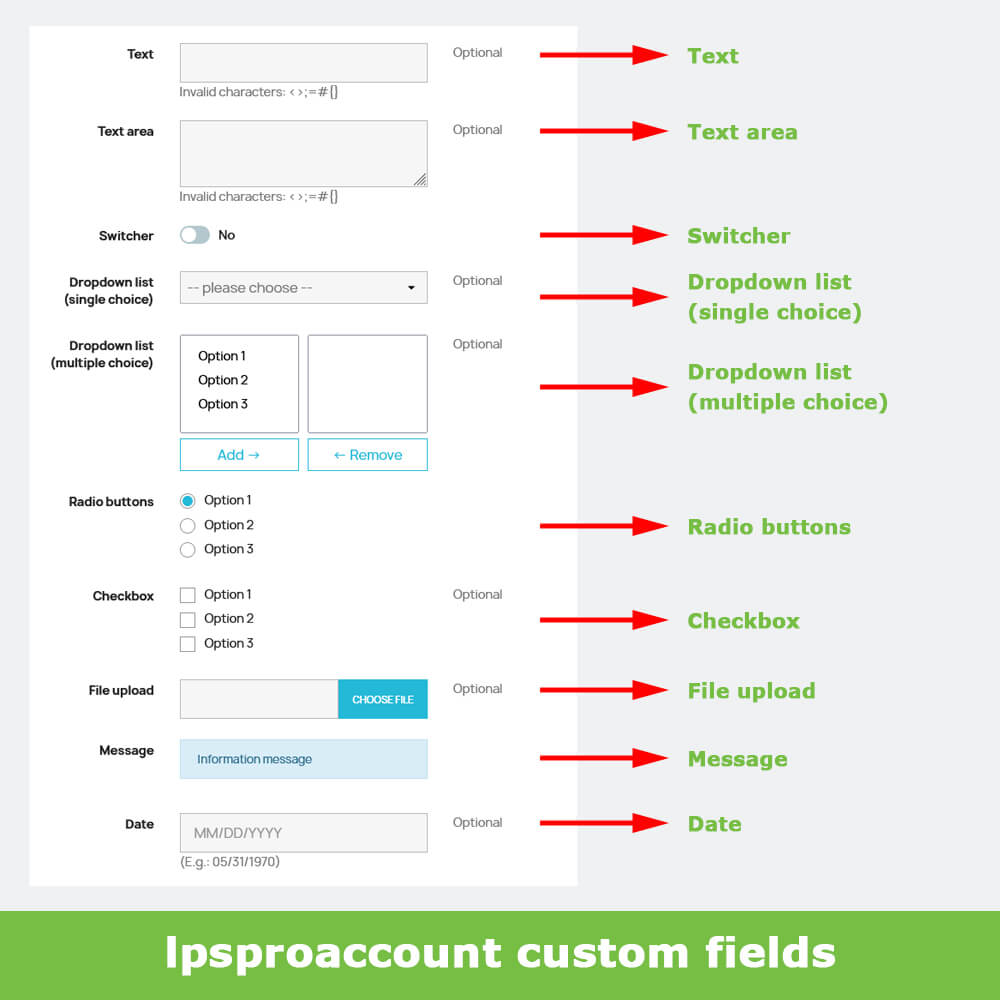
lpsproaccount module allows you to add 10 different types of custom fields: Text, Text area, Switcher, Dropdown list (single choice), Dropdown list (multiple choice), Radio buttons, Checkbox, File upload, Message and Date.
You can also apply 12 validation rules to Text fields: Phone, Email, URL / Website, Letters only, Numbers only, Letters and numbers only (general validations) and APE/NAF Code (France), SIREN (France), SDI (Italy), PEC (Italy), IBAN, BIC (business validations).
In the Front-Office, your customers can find and update their additional information via Your account > Information.
In the Back-Office, you can find and update your customers' additional information in each customer's details.
Automated sending of an email to the merchant when a customer registers or when a customer updates their additional information.
Important: additional information is visible in the Back-Office only for customers who have provided it.
Add address
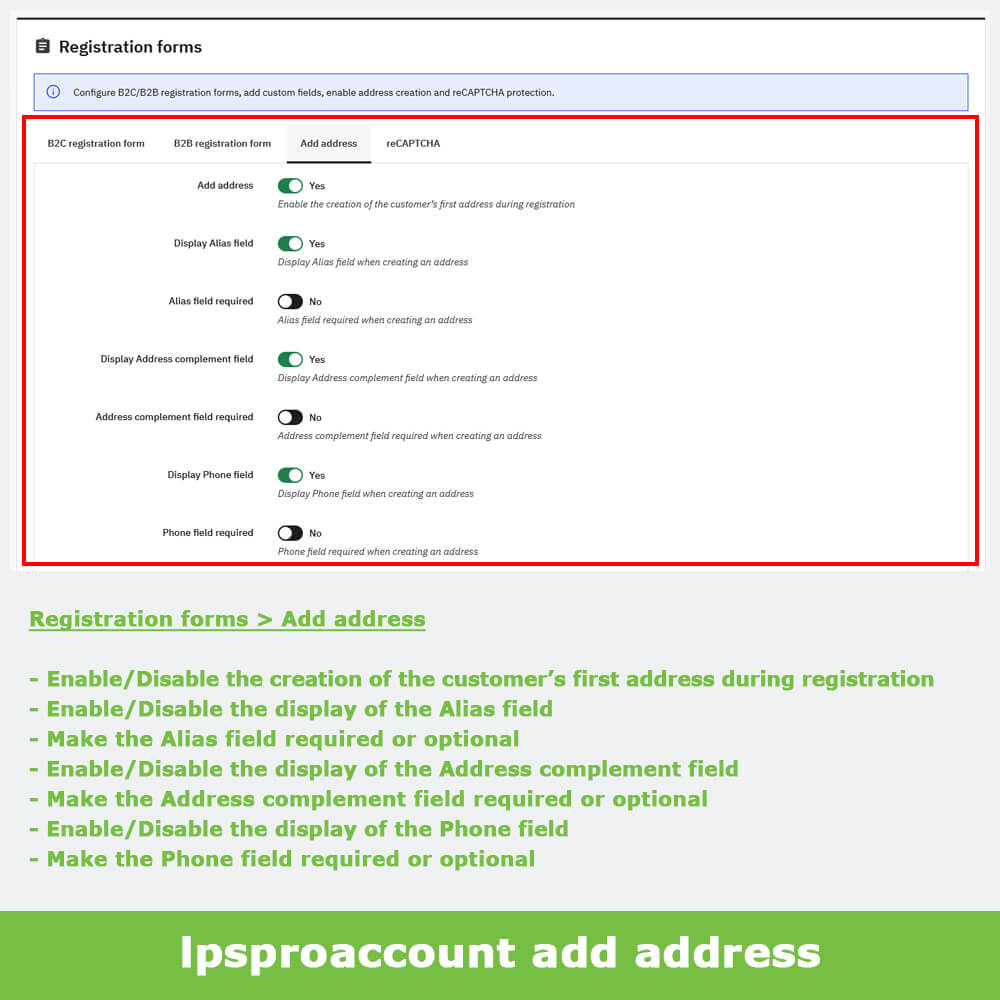
lpsproaccount module allows you to enable/disable the creation of the customer's first address during registration.
You can also show/hide the Alias, Address complement, and Phone fields, and make them required or optional when creating the first address on B2C/B2B registration forms.
reCAPTCHA
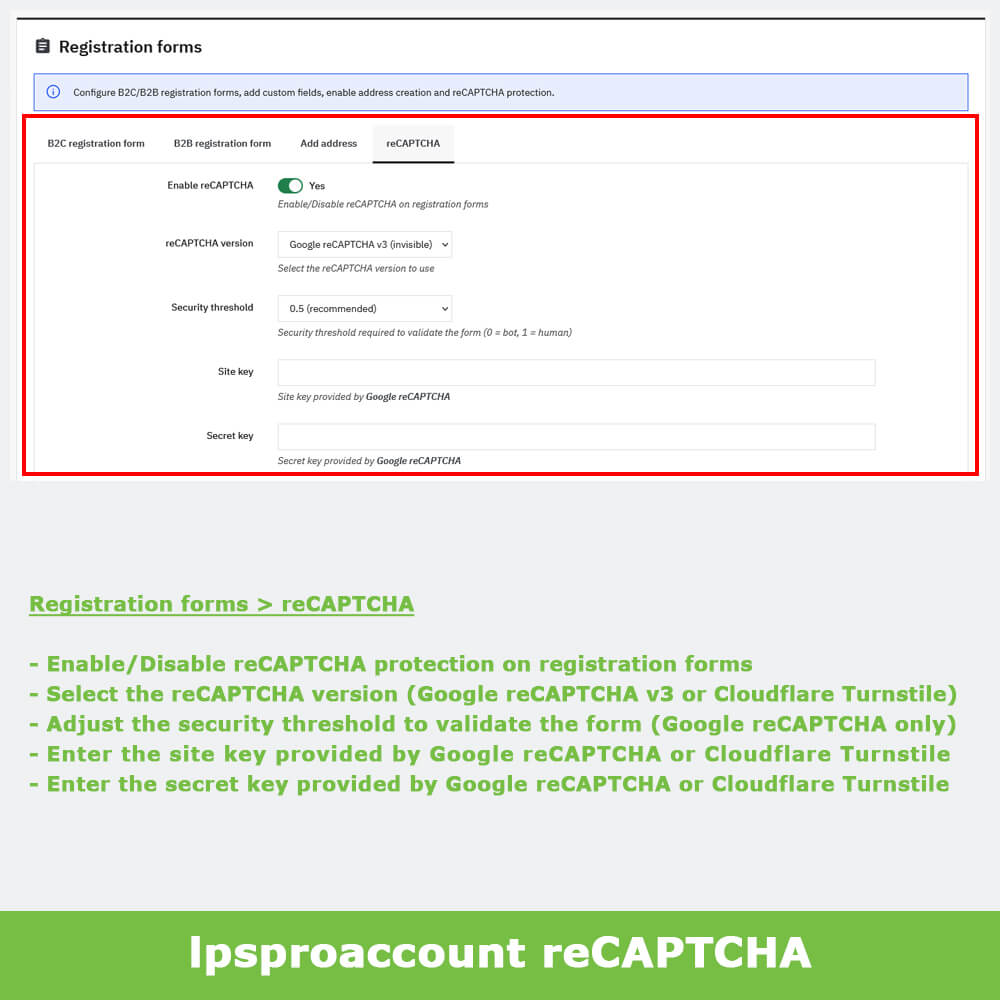
lpsproaccount module allows you to enable/disable reCAPTCHA protection on B2C/B2B registration forms.
You can choose between two versions of reCAPTCHA protection: Google reCAPTCHA v3 (invisible) or Cloudflare Turnstile (invisible).
You can also adjust the security threshold required to validate the form (Google reCAPTCHA v3 only).
To enable reCAPTCHA protection, simply enter the site key and the secret key provided by the selected service.
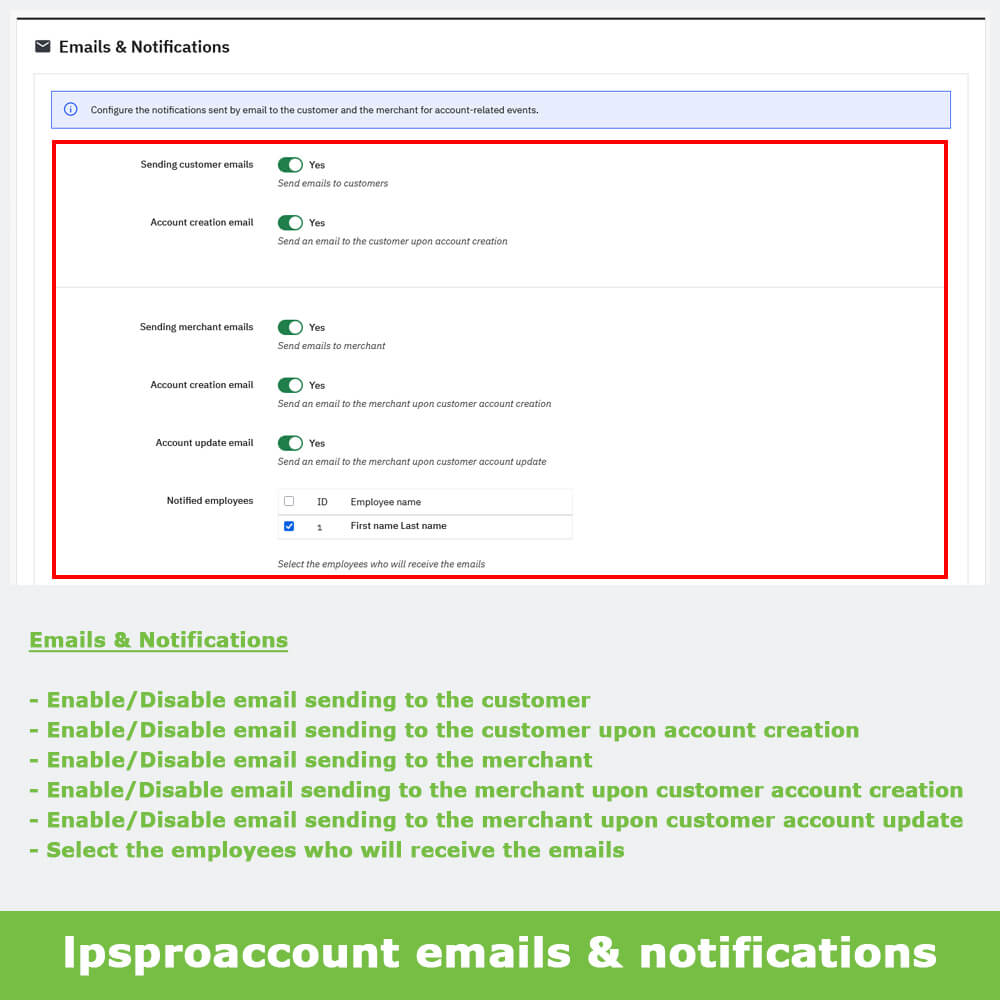
EMAILS & NOTIFICATIONS
Customer emails
lpsproaccount module allows you to enable/disable email sending to the customer.
You can enable/disable email sending to the customer upon account creation.
Merchant emails
lpsproaccount module allows you to enable/disable email sending to the merchant.
You can enable/disable email sending to the merchant upon customer account creation.
You can enable/disable email sending to the merchant upon customer account update.
You can also select the employees who will receive the emails.
COMPATIBILITY
lpsproaccount module is multistore and multilingual compatible.