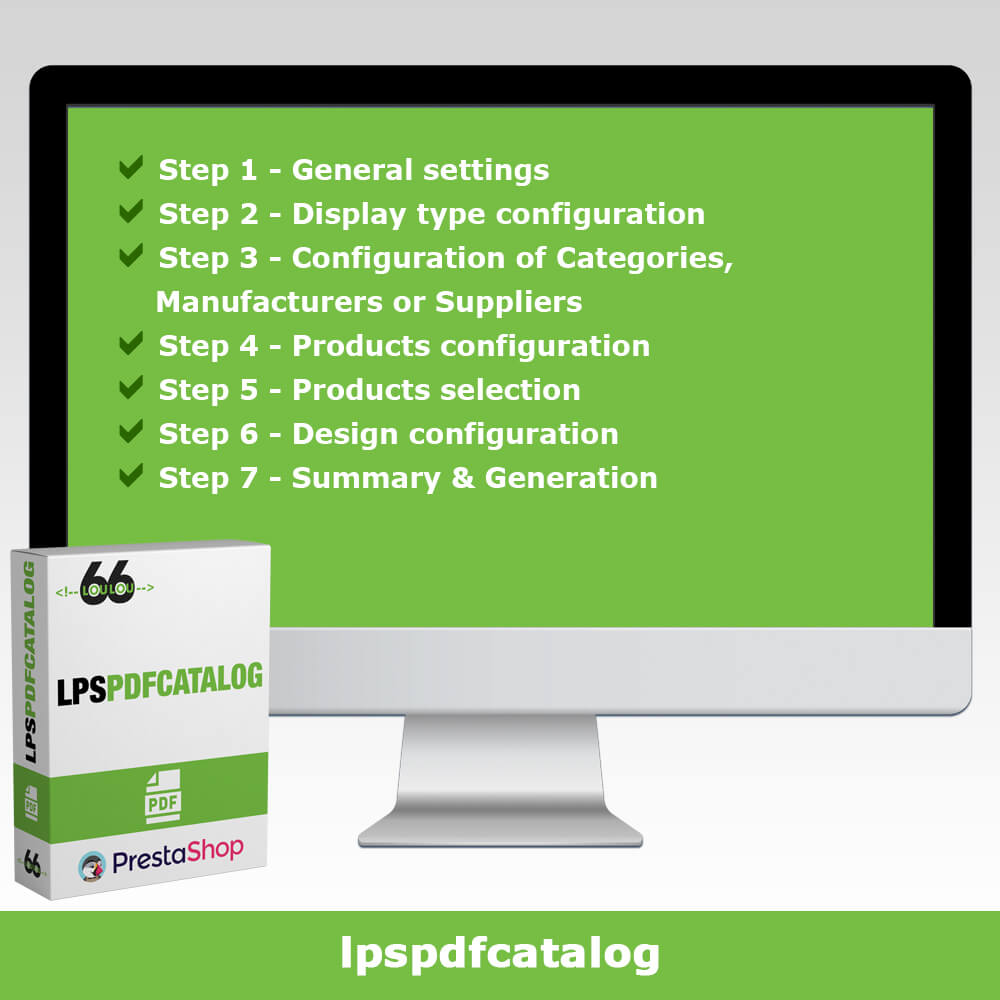
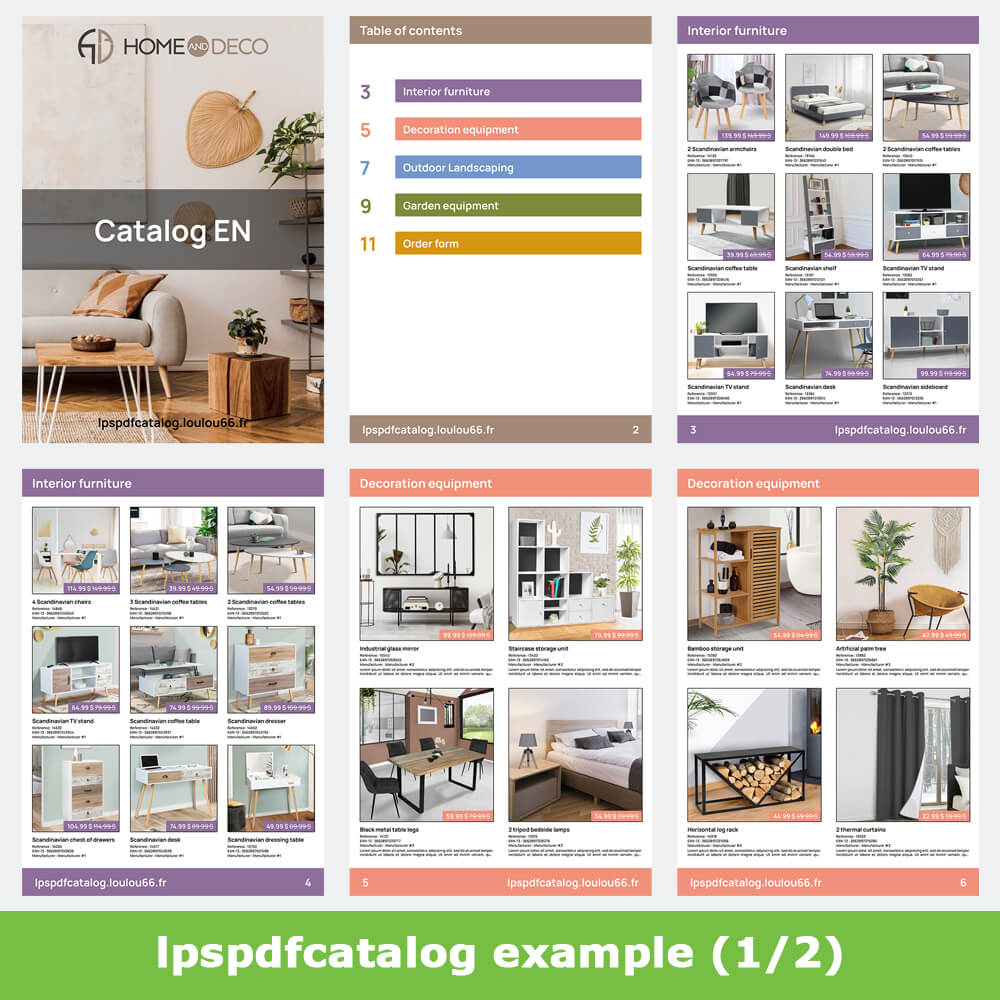
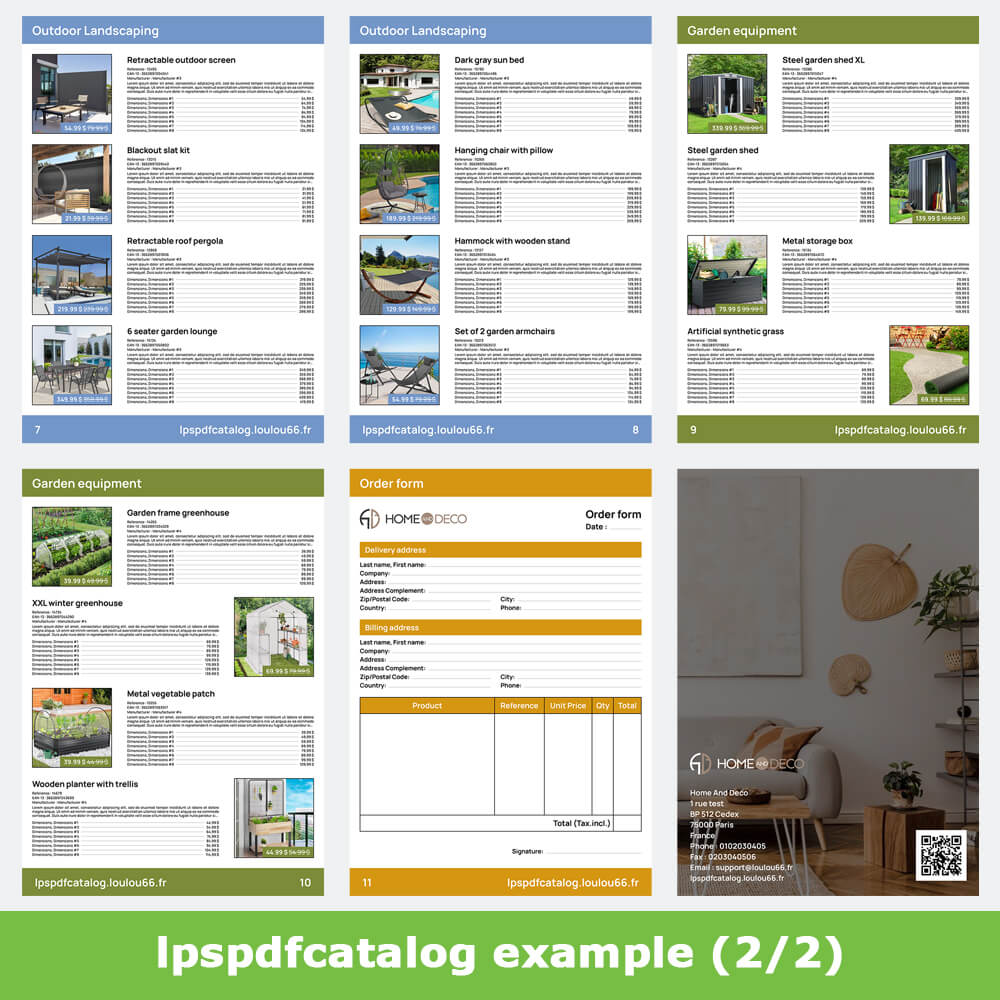
Create a product catalog in PDF format to boost your sales in 7 steps! Fully customizable, the PDF catalog generator allows you to automatically export your product catalog in a few clicks for a professional rendering.
Description
Automated product catalog generator
Step 1 - General settings
Step 2 - Display type configuration
Step 3 - Configuration of Categories, Manufacturers or Suppliers
Step 4 - Products configuration
Step 5 - Products selection
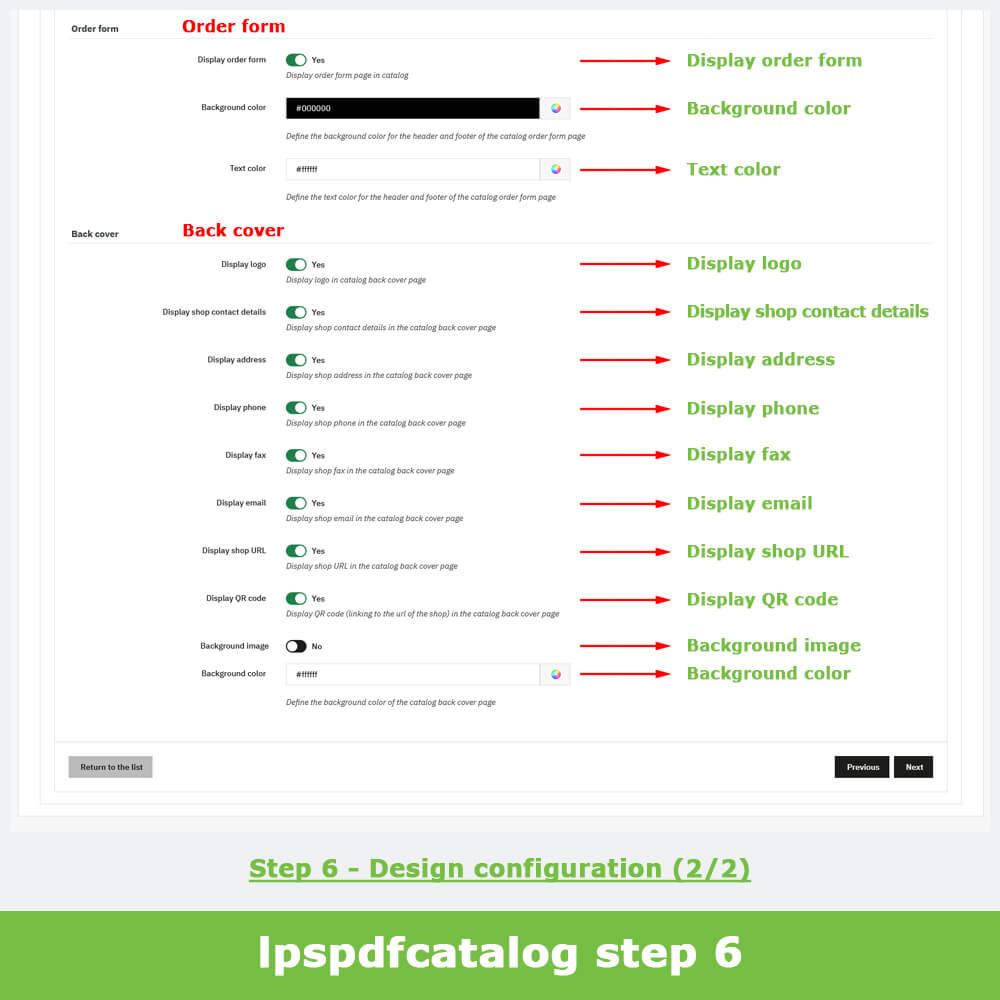
Step 6 - Design configuration
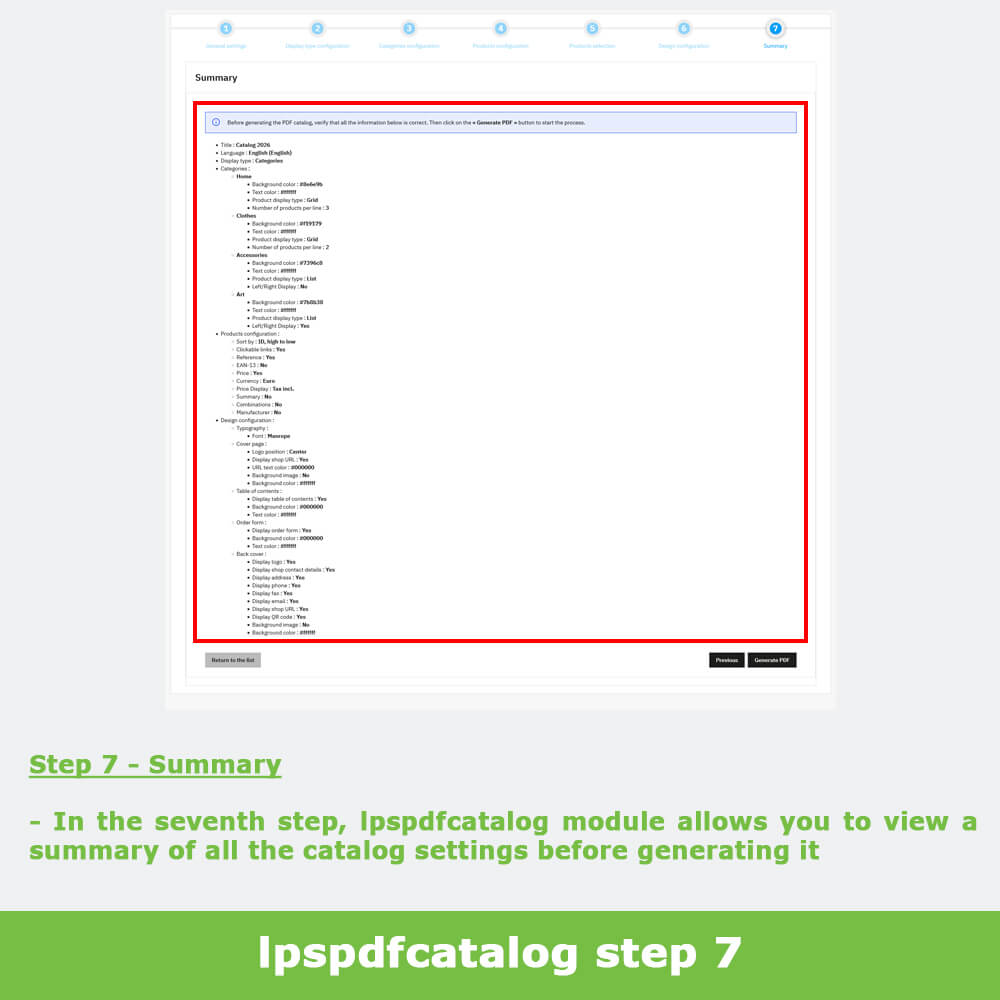
Step 7 - Summary & Generation
Features
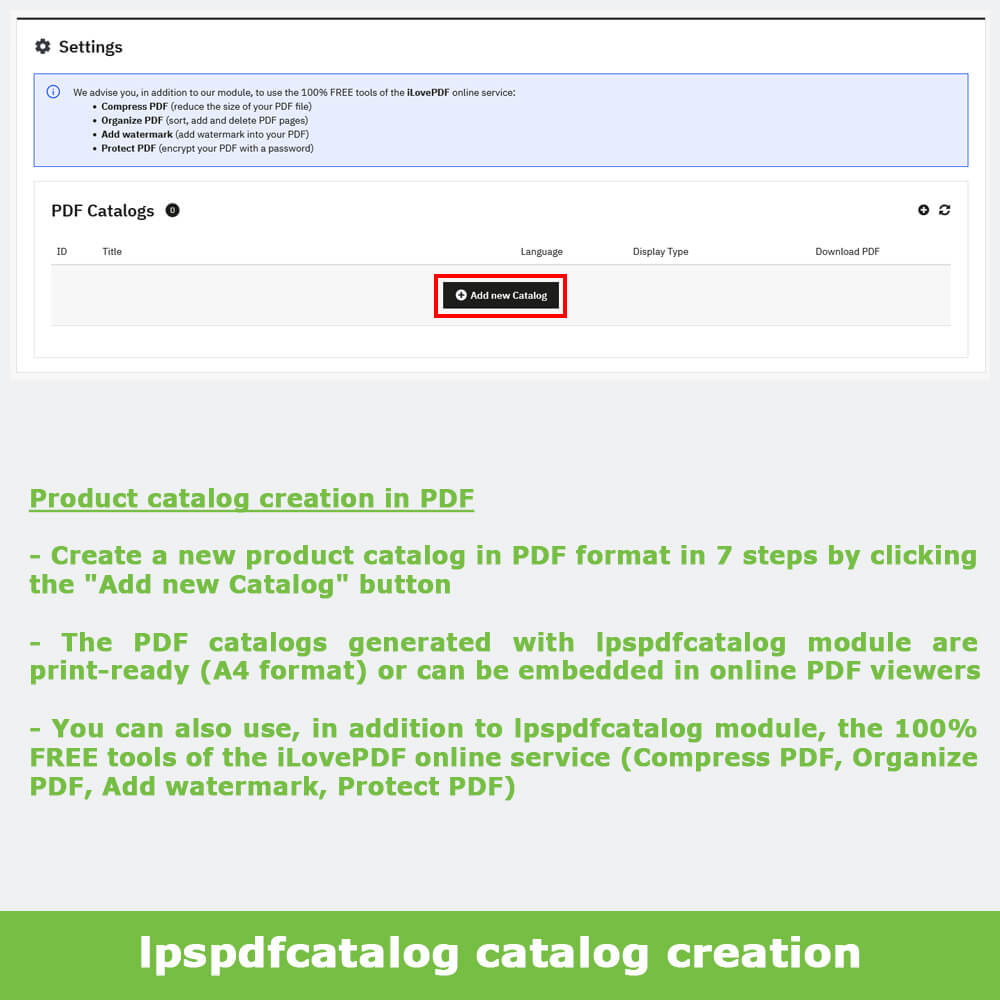
Product catalog creation in PDF
lpspdfcatalog module allows you to create in 7 steps, from your PrestaShop store products, PDF catalogs that are print-ready (A4 format) or can be embedded in online PDF viewers.
lpspdfcatalog module is compatible with "3D Flipbook - Interactive PDF Catalog" module which lets you convert your PDF product catalogs into interactive Flipbooks.
You can also use, in addition to lpspdfcatalog module, the 100% FREE tools of the iLovePDF online service (Compress PDF, Organize PDF, Add watermark, Protect PDF).
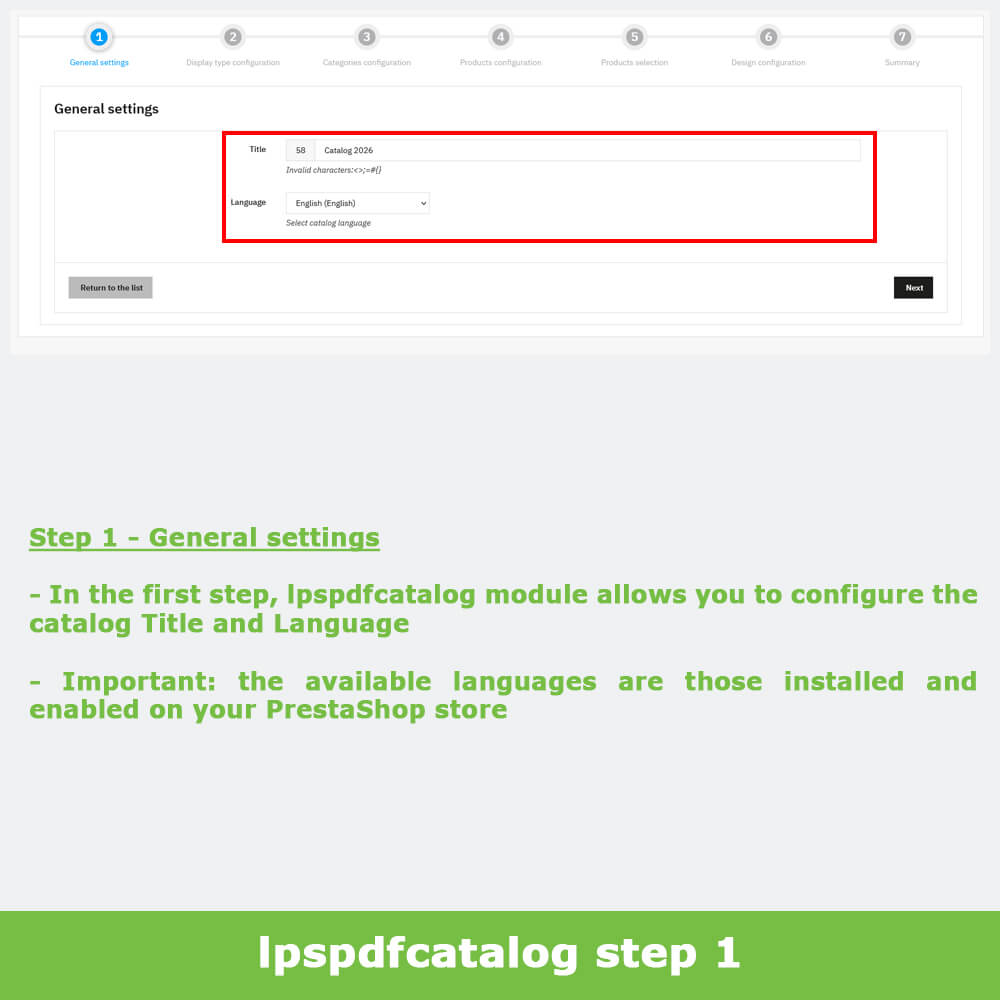
Step 1 - General settings
In the first step, lpspdfcatalog module allows you to configure the catalog Title and Language.
Important: the available languages are those installed and enabled on your PrestaShop store.
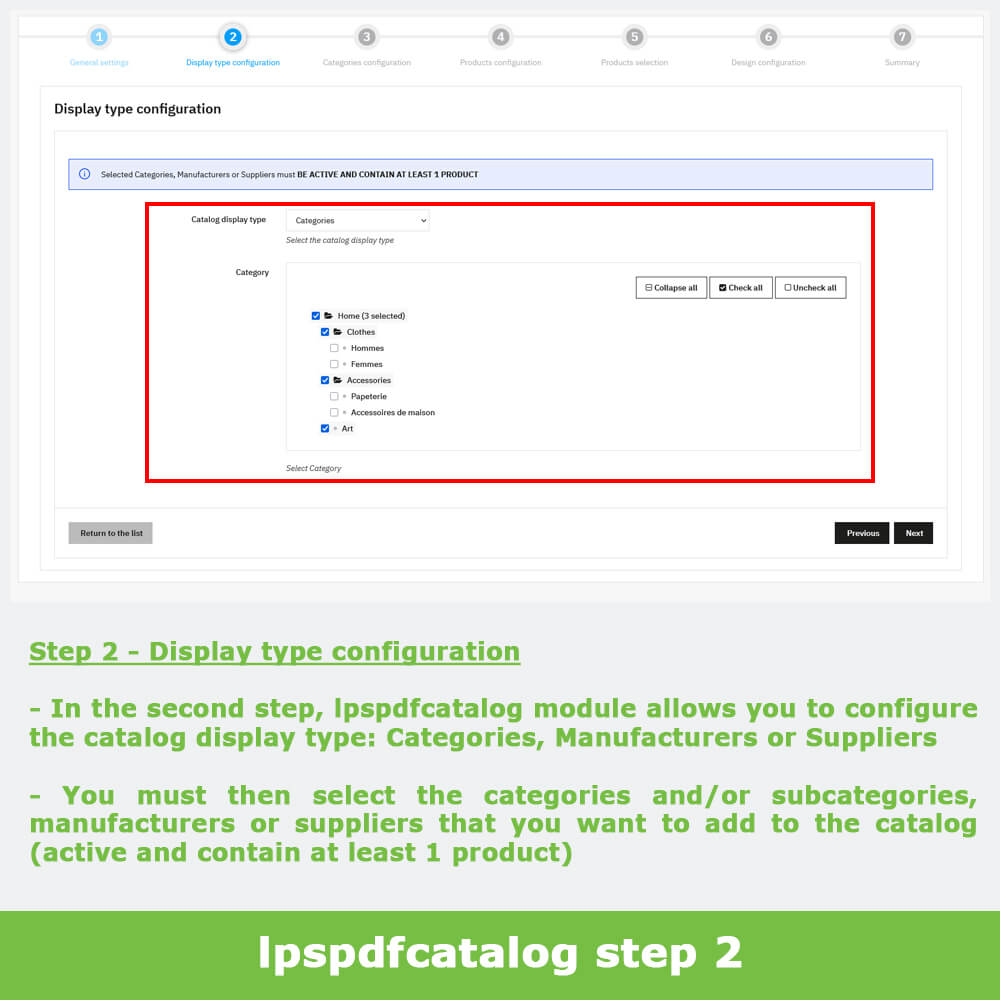
Step 2 - Display type configuration
In the second step, lpspdfcatalog module allows you to configure the catalog display type: Categories, Manufacturers or Suppliers.
You must then select the categories and/or subcategories, manufacturers or suppliers that you want to add to the catalog.
Important: Selected Categories, Manufacturers or Suppliers must BE ACTIVE AND CONTAIN AT LEAST 1 PRODUCT.
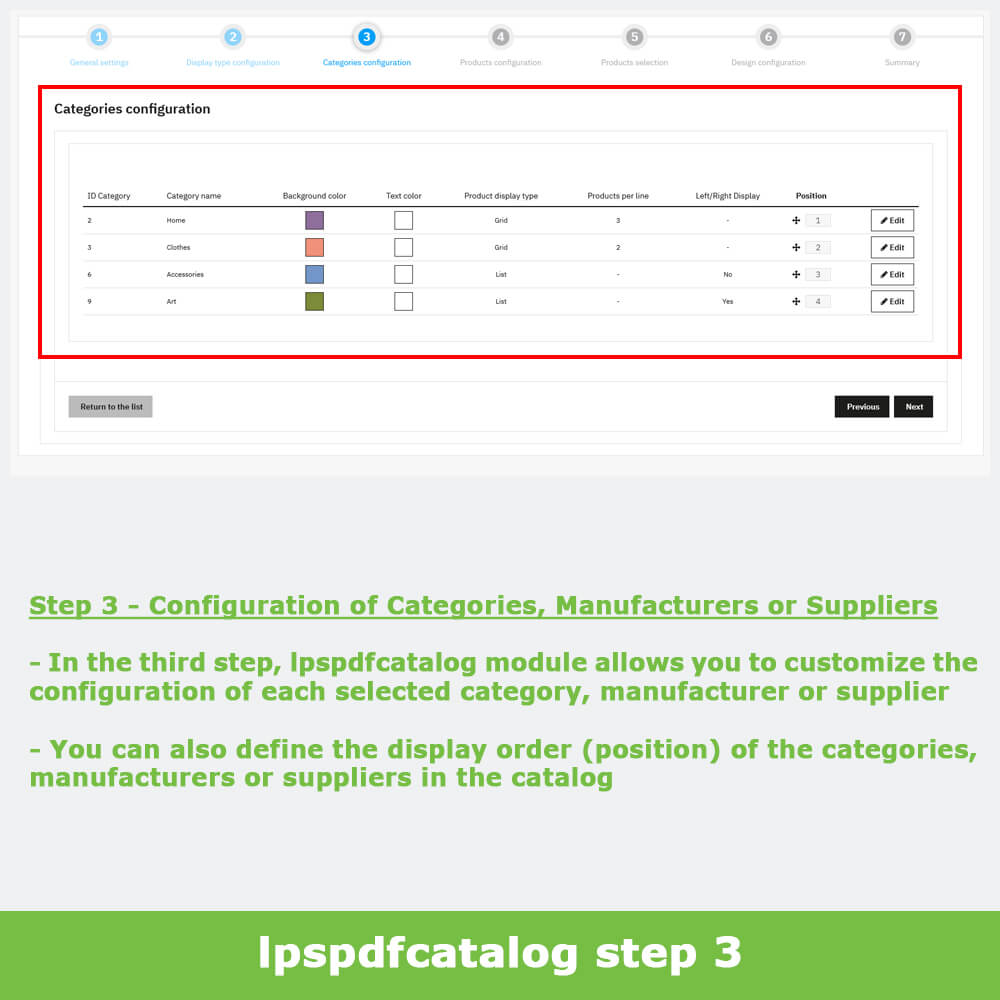
Step 3 - Configuration of Categories, Manufacturers or Suppliers
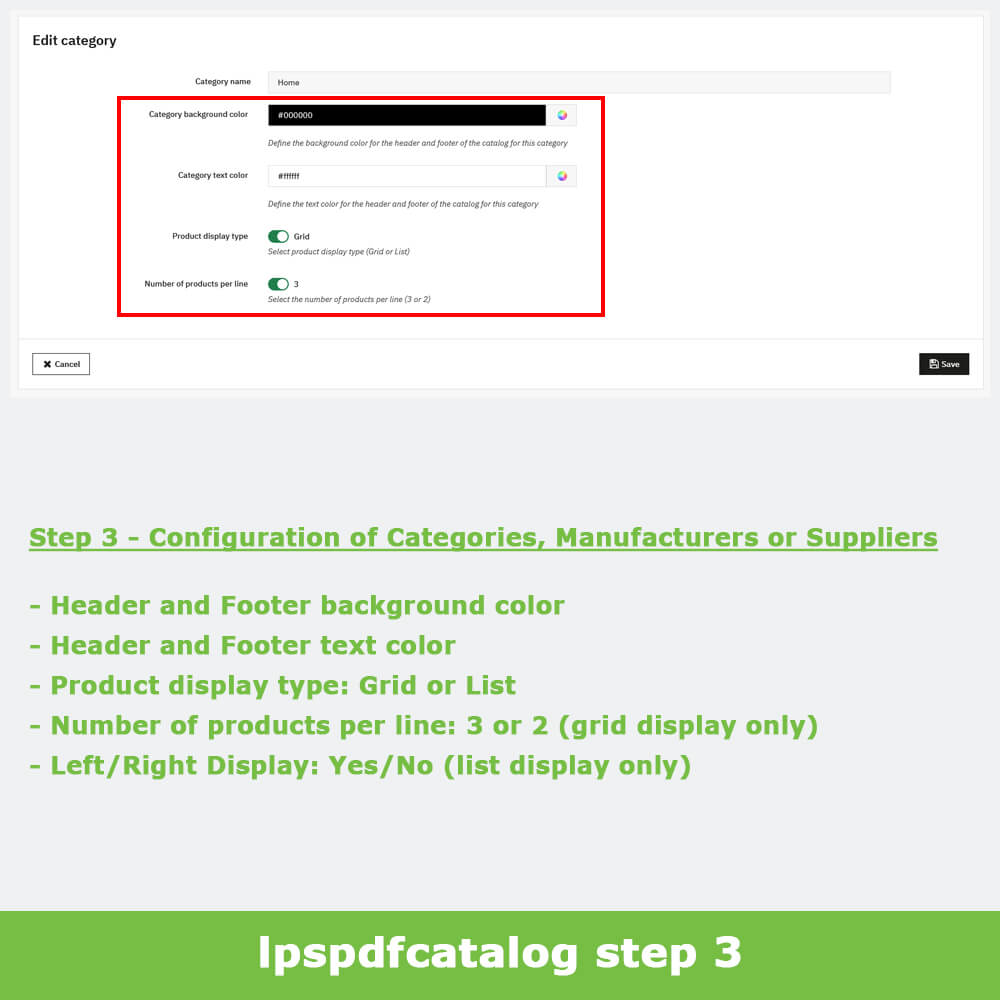
In the third step, lpspdfcatalog module allows you to customize the configuration of each selected category, manufacturer or supplier:
Header and Footer background color
Header and Footer text color
Product display type: Grid or List
Number of products per line: 3 or 2 (grid display only)
Left/Right Display: Yes/No (list display only)
You can also define the display order (position) of the categories, manufacturers or suppliers in the catalog.
Step 4 - Products configuration
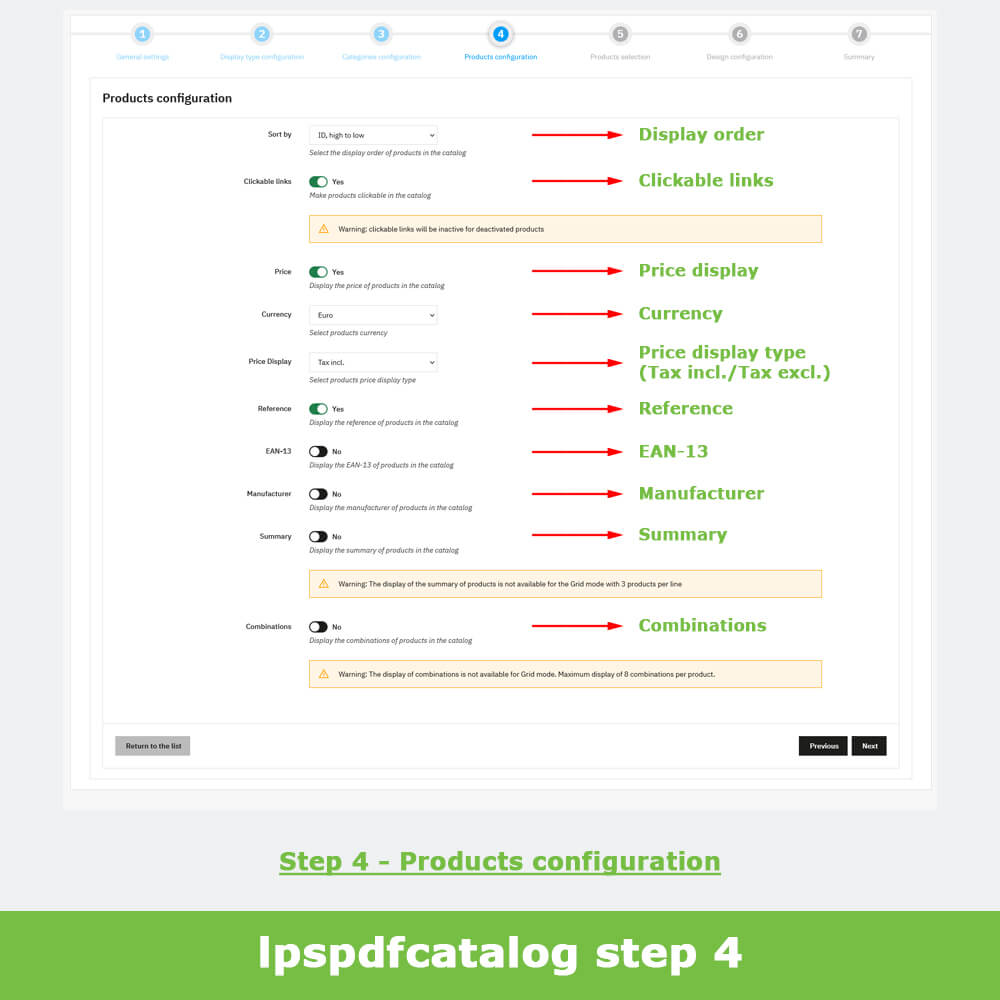
In the fourth step, lpspdfcatalog module allows you to customize the configuration of the products:
Product display order: ID low to high, ID high to low, Name A to Z, Name Z to A, Price low to high, Price high to low, Position (categories display type only)
Clickable links: Yes/No
Price display: Yes/No
Currency (The available currencies are those installed and enabled on your PrestaShop store)
Price display type: Tax incl. or Tax excl.
Reference: Yes/No
EAN-13: Yes/No
Manufacturer: Yes/No
Summary: Yes/No (Not available for Grid mode with 3 products per line)
Combinations: Yes/No (Not available for Grid mode. Maximum display of 8 combinations per product)
Step 5 - Products selection
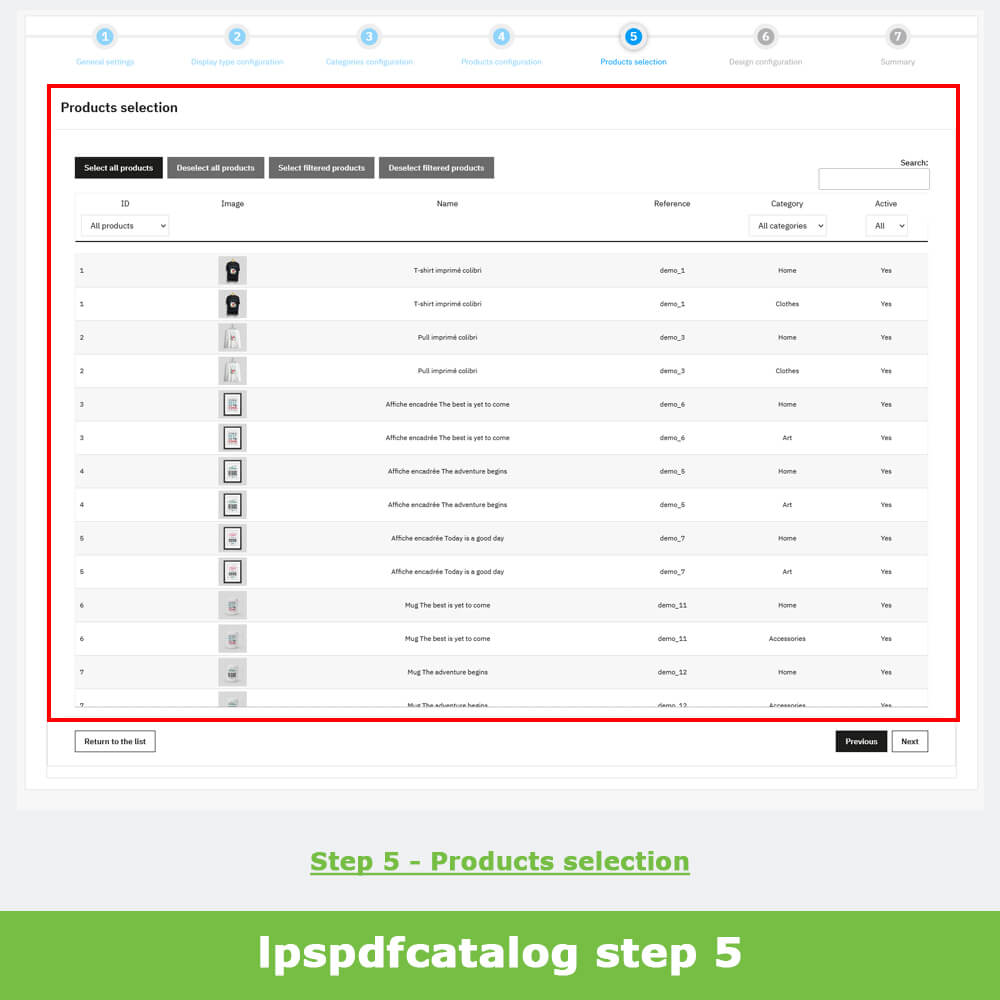
In the fifth step, lpspdfcatalog module allows you to select the products you want to add to the catalog.
You can search for products, select all products, deselect all products, filter products by category or manufacturer or supplier, filter products by status, select filtered products, deselect filtered products and show duplicates.
Important: selecting/deselecting products is done by clicking on each row of the table; multiple selection via keyboard shortcuts is not available.
Step 6 - Design configuration
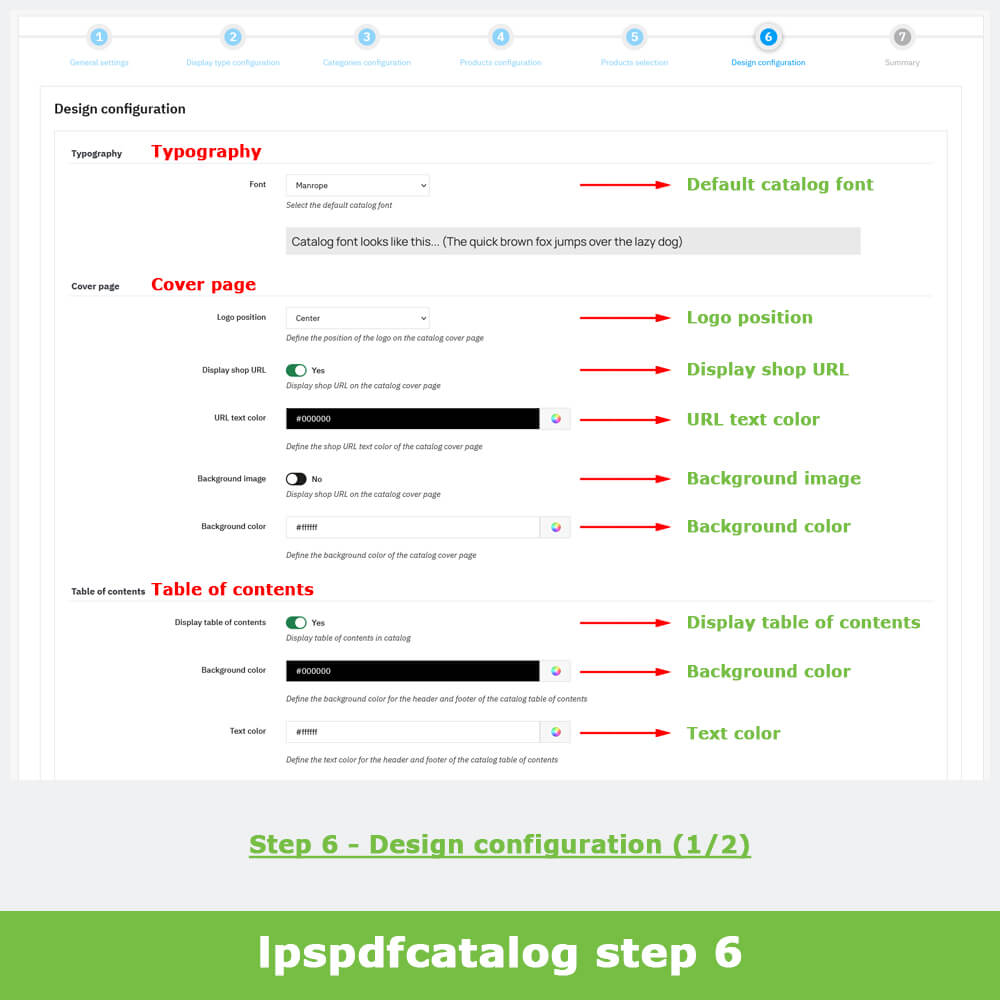
In the sixth step, lpspdfcatalog module allows you to customize the configuration of the catalog design:
Typography
Default catalog font (Google Fonts)
Cover page
Logo position: Center, Left, Right
Display shop URL: Yes/No
URL text color
Background image: Yes/No
Background color (only if no background image)
Table of contents
Display table of contents: Yes/No
Background color
Text color
Order form
Display order form: Yes/No
Background color
Text color
Back cover
Display logo: Yes/No
Display shop contact details: Yes/No
Display address: Yes/No
Display phone: Yes/No
Display fax: Yes/No
Display email: Yes/No
Display shop URL: Yes/No
Display QR code: Yes/No
Background image: Yes/No
Background color (only if no background image)
Step 7 - Summary & Generation
In the seventh step, lpspdfcatalog module allows you to view a summary of all the catalog settings before generating it.
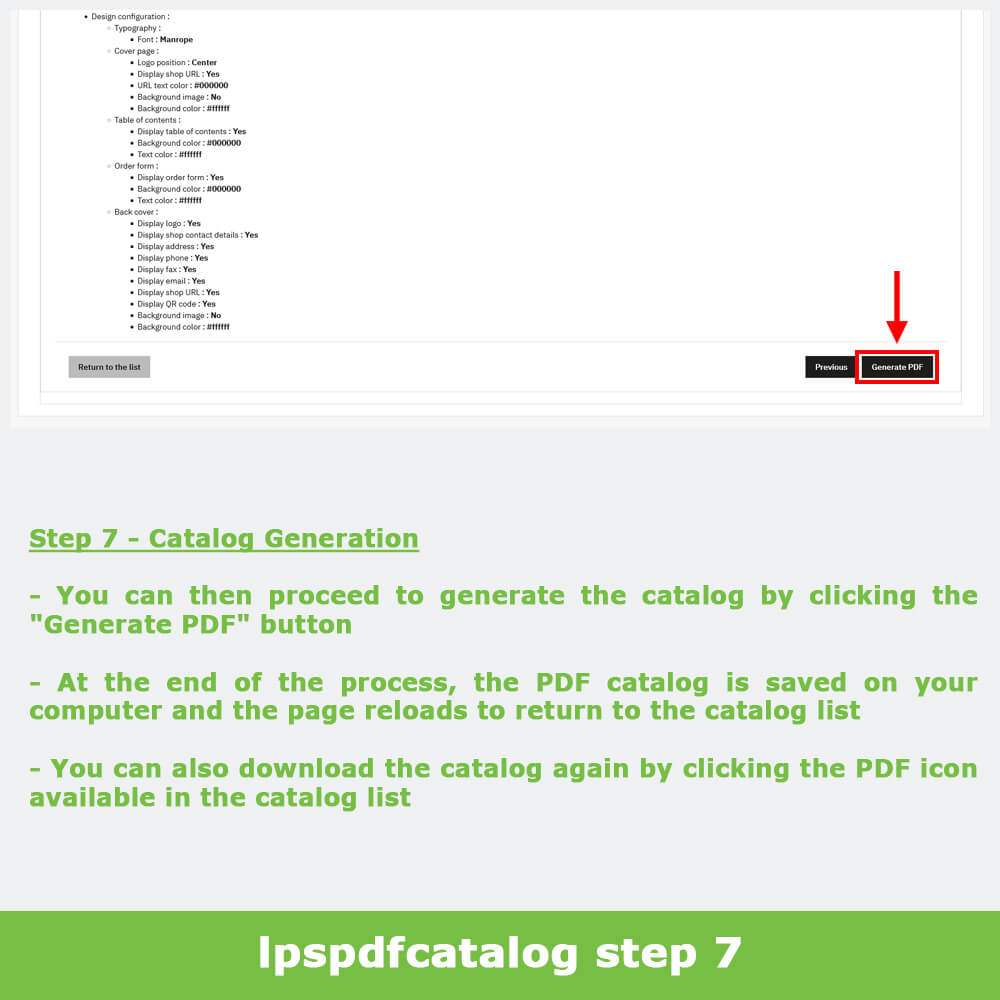
You can then proceed to generate the catalog by clicking the "Generate PDF" button.
At the end of the process, the PDF catalog is saved on your computer and the page reloads to return to the catalog list.
You can also download the catalog again by clicking the PDF icon available in the catalog list.
Compatibility
lpspdfcatalog module is multistore and multilingual compatible.
Recommendations
When generating the catalog, we recommend that you do not close your browser until the process is fully complete, it may take several minutes.
Installation
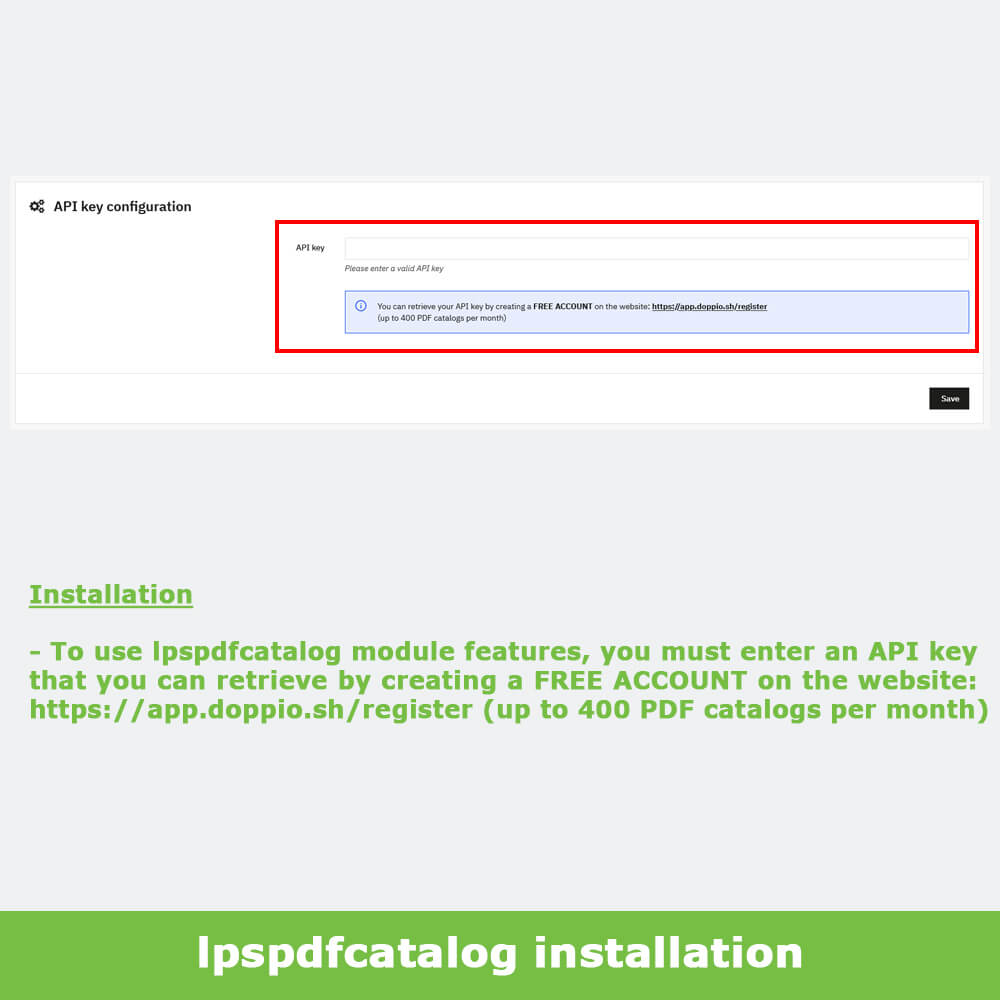
To use lpspdfcatalog module features, you must enter an API key that you can retrieve by creating a FREE ACCOUNT on the website: https://app.doppio.sh/register (up to 400 PDF catalogs per month).
As an independent PrestaShop developer, Loulou66 builds reliable and high-performing PrestaShop modules that follow the platform's best practices. Each of our PrestaShop modules integrates seamlessly into your PrestaShop store, to ensure long-term stability and adapt to all your existing configurations without any technical constraints.
Essential Features
Tailored to your e-commerce business
Our PrestaShop modules provide essential features for your PrestaShop store, designed to meet the real needs of e-commerce merchants and help simplify the day-to-day management of your online business. Each of our modules is ready to use right after installation, for immediate and fully hands-on use with no complex configuration required.
Guaranteed Compatibility
With the latest versions of PrestaShop
Our PrestaShop modules are developed and regularly updated to ensure their compatibility with the latest versions of PrestaShop. Installing them on your store has no impact on performance, ensuring a smooth integration and reliable operation with no unpleasant surprises when updating your PrestaShop store.
Advanced Configuration
Settings accessible from the back office
Every PrestaShop store has its own unique features. Each of our PrestaShop modules offer a wide range of configuration options directly accessible from your store's back office, with no technical skills required. For more advanced needs, custom developments can be provided for all our PrestaShop modules, based on your specific requirements.
Clean and Reliable Code
Compliant with PrestaShop standards
Our PrestaShop modules strictly follow the platform's development standards: native hooks, clean, well-documented and maintainable code. This technical discipline ensures the overall stability of your PrestaShop store, facilitates future upgrades and guarantees optimal compatibility with your themes and other installed modules.
Support and updates
Unlimited for one year with Business Care
Our PrestaShop modules benefit from PrestaShop Addons Business Care: security and compatibility updates, evolutions and future features, direct support from the developer. The subscription is included for the first year, then freely renewable or cancellable at any time from your PrestaShop Addons account.